
Key Highlights:
- Data integration tools connect, clean, and automate data flow across CRMs, databases, cloud apps, and APIs, supported by a clear step-by-step infographic.
- Cloud data integration tools and automated data pipelines reduce manual work, improve data accuracy, and scale as data volume grows.
- Top data integration tools are listed with verified ratings and pricing models, helping businesses evaluate the best data integration software for business in 2026.
Introduction
Data integration tools are the invisible engines behind every fast report, accurate dashboard, and confident business decision. When they work well, everything feels seamless. When they don’t, data turns into delays, mismatched numbers, and constant firefighting.
That’s why conversations around top data integration tools are no longer limited to data teams. They directly impact leadership, operations, sales, marketing, and finance, essentially anyone who relies on data to make decisions.
Today’s tools for data integration go far beyond simple data movement. Modern data integration platforms and cloud data integration tools are designed to automate workflows, manage growing data volumes, and maintain system synchronization without manual intervention.
But, when it comes to actually choosing the data integration tool, it all gets overwhelming and we might end up making the vague decision.
To prevent this and make things easier for you, we have curated the blog explaining the benefits of data integration tools, how it works and some of the best data integration tools you should know about.
Let’s dig in.
What Are Data Integration Tools?
Data integration tools help different software systems communicate and share data automatically. Most businesses use multiple tools for sales, marketing, finance, and operations, and each one stores data separately.
Tools for data integration connect these disconnected systems and consolidate data into a single, reliable view, eliminating the need for manual copying, spreadsheet updates, or repetitive exports. As a result, data becomes easier to access, more accurate, and consistently up to date.
For example, if your sales data lives in a CRM and your marketing data is in another platform, data integration tools automatically pull information from both sources into one dashboard. Instead of switching between tools or working with outdated reports, you get a clear, up-to-date view of what’s happening.
Difference Between Data Integration Tools and ETL Tools?
Data integration tools and ETL tools are often mentioned together, but they’re not the same. While both help move data between systems, they serve slightly different purposes.
Let’s understand the difference:
| Aspect | Data Integration Tools | ETL Tools |
| Core purpose | Designed to keep multiple systems connected and data flowing smoothly between them | Designed to extract data, transform it, and load it into a specific destination |
| How data moves | Data moves continuously or near real-time to keep systems in sync | Data moves in batches, usually on a fixed schedule |
| Primary business use | Used for everyday operations, app-to-app syncing, and live dashboards | Used mainly for analytics, reporting, and data warehousing |
| Data freshness | Data stays updated throughout the day | Data is refreshed at set intervals |
| Transformation level | Handles light to moderate transformations for consistency | Handles heavy transformations and data preparation |
| Setup and maintenance | Easier to set up and manage with less technical effort | More technical and configuration-heavy |
| Skill requirement | Can be managed by business and data teams | Often requires engineering or data specialists |
| Automation style | Always-on workflows using automated data integration tools | Job-based automation with scheduled ETL runs |
| Cloud readiness | Built for modern cloud-first environments | Originally on-prem, now evolving to the cloud |
| Scalability | Scales easily as new tools and data sources are added | Scales well for large volumes of historical data |
| Flexibility | Supports multiple sources and destinations at once | Typically tied to defined pipelines and targets |
| Best fit for | Businesses that need connected systems and real-time visibility | Teams focused on structured analytics and long-term insights |
Why Do Businesses Need Data Integration Tools?
Data integration tools help businesses streamline operations by connecting different systems and automating data flow. This eliminates manual work, reduces errors, and provides real-time, accurate data for better decision-making. The benefits of data integration are clear—it improves efficiency, enhances data accuracy, and enables businesses to make informed decisions faster. Here’s why they’re essential:
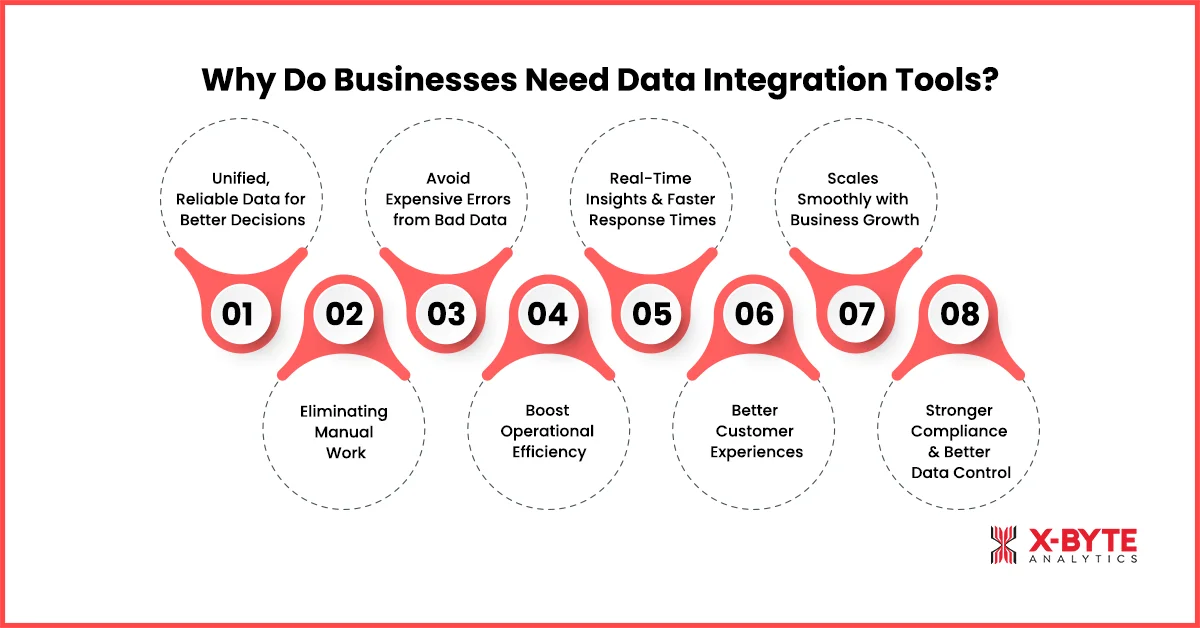
1. Unified, Reliable Data for Better Decisions
When data lives in different systems, teams end up making decisions based on incomplete or inconsistent information. Data integration brings all that information together into one unified view so leaders can see the full picture before acting.
2. Eliminating Manual Work
Without data integration, teams waste hours exporting files, cleaning spreadsheets, and manually combining data from different tools. This slows work down & increases the risk of mistakes.
Data integration tools automate these repetitive tasks and can reduce manual data entry work by up to 80%, allowing data to flow automatically between systems with far less effort. This means fewer manual touchpoints, fewer errors, and more time spent on actual analysis instead of data prep.
3. Avoid Expensive Errors from Bad Data
Bad or inconsistent data isn’t just inconvenient; it’s costly for businesses. According to Gartner, poor data quality leads to average annual losses of about $12.9 million per organization due to errors, rework, and inefficiencies caused by inconsistent or inaccurate data.
Data integration helps identify and correct these inconsistencies before business teams use the data for decisions. Many organizations report positive ROI within the first year of implementing data integration solutions.
4. Boost Operational Efficiency
When teams don’t have to switch between multiple tools or manually reconcile numbers, workflows become faster and smoother. Data silos are a major source of inefficiency because they force employees to extract, transform, and combine data manually, a time-consuming and error-prone process.
Integrating data eliminates these silos and automates data movement across systems, freeing up teams to focus on real work instead of manual tasks. Studies show that automating data workflows significantly improves productivity by letting employees spend more time on impactful tasks.
5. Real-Time Insights and Faster Response Times
Instead of waiting hours or days to gather and merge information, integrated systems provide near real-time data access. This lets businesses react quickly to trends, customer behavior, and market changes, making operations more agile. Real-time data integration creates a continuous, reliable flow of fresh data that supports timely decisions, faster reporting, and better responsiveness across teams.
6. Better Customer Experiences
When customer data lives across sales, support, marketing, and product platforms, teams only see fragments of the customer journey. Data integration brings all this information together, creating a true 360-degree customer view. This allows businesses to personalize communication, resolve issues faster, and offer more relevant products or services, improving customer satisfaction and loyalty.
7. Scales Smoothly with Business Growth
As businesses grow, they naturally add more tools, platforms, and data sources. Without data integration, this growth often leads to bottlenecks, broken workflows, and reporting chaos.
A strong data integration strategy ensures that new systems and data sources can be connected quickly without disrupting existing operations. It avoids data silos and maintains consistent data flow as complexity increases. This makes growth more manageable and far less disruptive.
8. Stronger Compliance and Better Data Control
Managing compliance becomes much harder when data is scattered across disconnected systems. Integrated data systems make it easier to track where data comes from, how it’s used, and who has access to it.
This improves visibility, simplifies audits, and strengthens governance. With integrated data pipelines, businesses can enforce consistent policies and reduce the risk of errors or compliance gaps.
How Do Data Integration Tools Work?
Data integration tools automate the movement and synchronization of data across systems. The process is simple:
Step 1: Connecting Data Sources
Businesses usually store data across CRMs, ERPs, databases, cloud apps, and APIs. When these systems stay disconnected, teams deal with inconsistent numbers, manual exports, and delayed reports. Data integration tools solve this by creating secure connections to each source.
Step 2: Extracting Data
Depending on business needs, this can happen in batches (hourly or daily) or in real time. This step removes the need for manual data pulls and ensures fresh data flows without interruptions.
Step 3: Transforming and Cleaning Data
Here, data integration tools fix formatting issues, remove duplicates, standardize fields, and align schemas. This ensures that data from different systems matches and makes sense together. Without this step, even automated data remains unreliable.
Step 4: Loading and Syncing Data
This could be a data warehouse, BI tool, dashboard, or another application. At this stage, teams finally_attach access to consistent, ready-to-use data for reporting, analytics, or operations.
Step 5: Monitoring and Automation
Finally, data integration tools monitor and automate the entire workflow. They track data changes, handle schema updates, trigger alerts for errors, and keep pipelines running continuously in the background. This automation is what allows businesses to scale without increasing manual effort.
Different Types of Data Integration Solutions
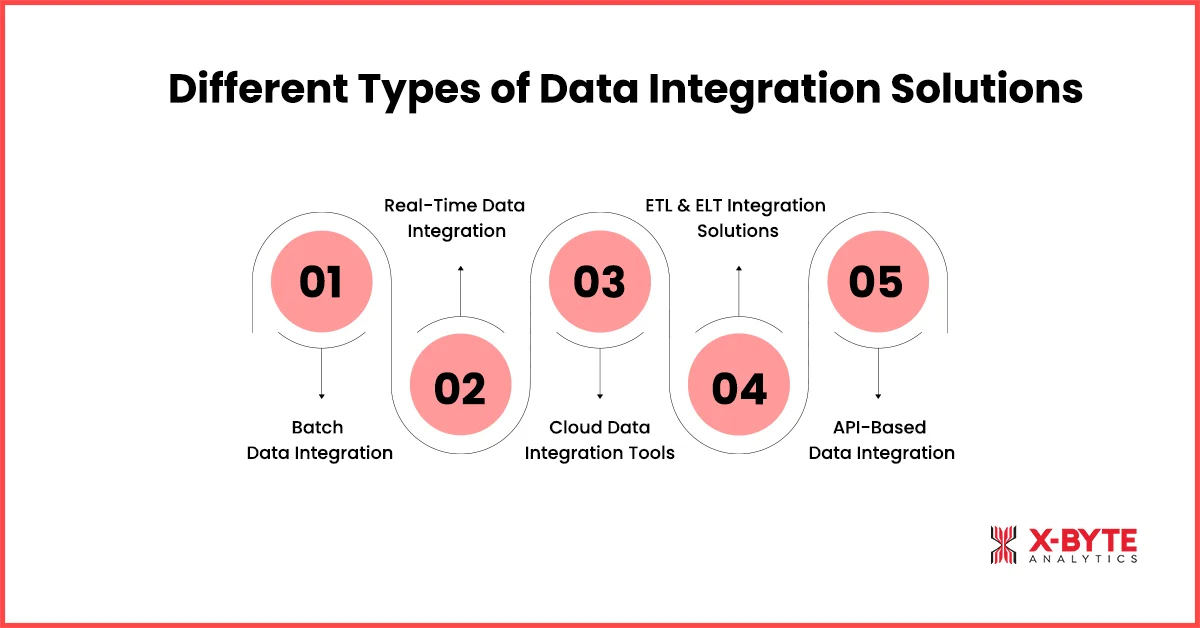
Businesses move data in different ways, so they use different data integration solutions. Some teams need instant updates, while others prefer scheduled syncs. Modern data integration platforms support both approaches and help companies choose the right data integration software for business without adding complexity.
1. Batch Data Integration
Batch data integration moves data at fixed intervals using data integration tools. It works by collecting data from multiple sources and processing it together on a schedule. Businesses use this approach when they need data for reports or analytics and don’t require real-time updates
2. Real-Time Data Integration
Real-time data integration pushes data instantly as changes happen through automated data integration tools. It keeps systems continuously updated without delays. Businesses use it for live dashboards, monitoring, and time-sensitive decisions.
3. Cloud Data Integration Tools
Cloud data integration tools connect cloud apps and databases through scalable, cloud-native platforms. They automate data syncing without heavy infrastructure. Businesses choose them when they rely on SaaS tools and want flexible data integration software for business.
4. ETL and ELT Integration Solutions
ETL and ELT act as core data pipeline tools for analytics. ETL transforms data before loading, while ELT transforms it after loading. Businesses use these solutions for reporting, BI, and data warehousing.
5. API-Based Data Integration
API-based integration allows systems to exchange data directly. These tools for data integration share specific data points quickly and efficiently. Businesses use them when applications need real-time data exchange.
Enterprise Data Integration Platforms
Enterprise data integration platforms handle large data volumes and complex environments in one system. They combine multiple integration methods. Large businesses use them when they need scalability and control.
Expert Tip: Batch integration still works well for reporting, but operational teams often struggle without real-time data. We usually recommend starting with batch pipelines and layering real-time integration only where speed actually matters.
Top Data Integration Tools in 2026
1. Fivetran
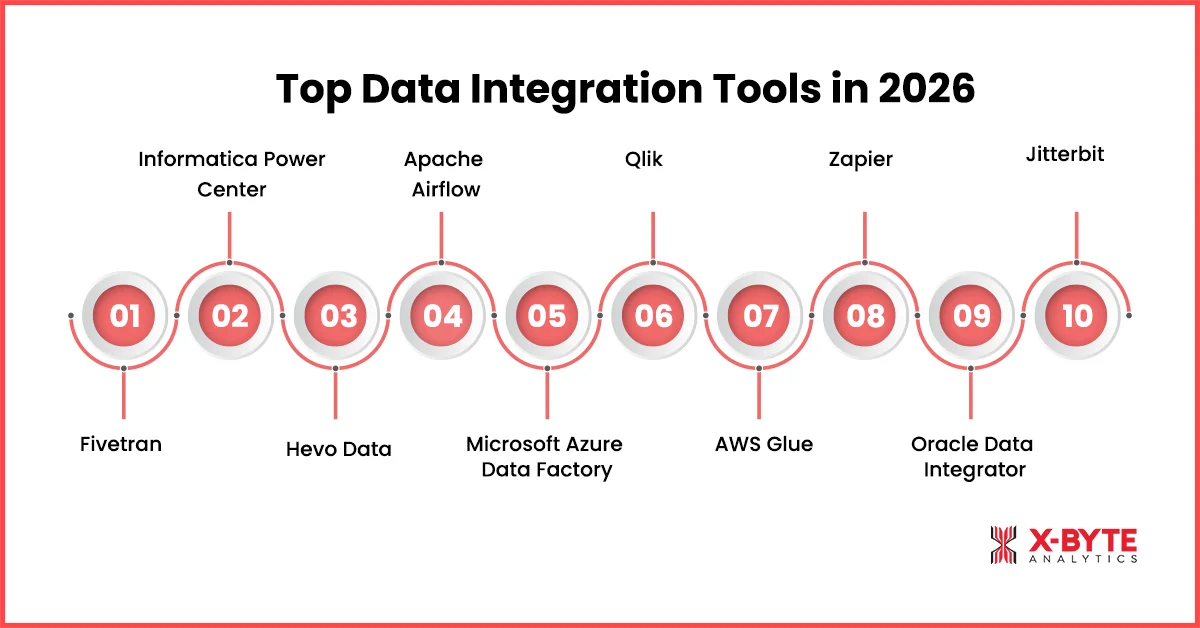
Fivetran has become one of the most talked-about top data integration tools in recent years because it focuses on automated data integration that just works. It ranks and holds an average 4.2+ rating on review platform, G2. This one-of–a-kind data tool is known for its reliability and low-maintenance approach, making it a favorite for modern cloud-centric teams.
- Ratings: 4.2+ rating on review platform, G2
- Who uses it: Startups, SaaS companies, and data teams using Snowflake, BigQuery, or Redshift
- When to choose it: When you want fully managed pipelines with minimal setup
- Key benefits: Zero maintenance, automatic schema updates, reliable syncs
- Best for: Analytics-focused data integration software for business
- Pricing: Usage-based pricing that scales with data volume and connectors, with a free trial available.
2. Informatica PowerCenter
Informatica is a long-standing leader in enterprise data integration platforms and is frequently recognized in industry reports with 4.4 enterprise user ratings on review platform, G2. It’s known for powerful ETL capabilities, governance, and data quality features, making it one of the best data integration tools for large and regulated organizations.
- Ratings: 4.4 enterprise user ratings on revie platform, G2
- Who uses it: Large enterprises in finance, healthcare, and telecom
- When to choose it: When you need complex transformations and strong governance
- Key benefits: Scalability, advanced ETL, data quality, and compliance controls
- Best for: Enterprise-grade data integration software for business
- Pricing: Enterprise, quote-based pricing depending on data complexity, scale, and licensing needs.
Talend and Informatica works well for complex enterprise processes. Fivetran is focused on data replication only. Integrate.io is a ETL tool but their pricing model won’t suit everyone. – Review from the Real User on Reddit.
3. Hevo Data
Hevo Data stands out as a powerful cloud data integration tool that combines ease of use with real-time ELT (Extract, Load, Transform) capabilities. With an average 4.4+ rating on G2, this tool is equipped with pre-built connectors and automated schema detection.
- Ratings: 4.4+ rating on G2
- Who uses it: Growing startups, product teams, and analytics teams
- When to choose it: When you need real-time data pipelines with low setup effort
- Key benefits: No-code pipelines, real-time sync, automatic schema handling
- Best for: Fast-moving teams using data pipeline tools for analytics
- Pricing: Tiered pricing with a free plan, paid plans based on data events and pipeline volume.
For ETL/ELT, I’ve been using Hevo for my data integration needs. It’s a no-code platform that connects seamlessly with multiple data sources, automates data pipelines, and allows for smooth data transformation. – Review from the real user on Reddit.
4. Apache Airflow
Apache Airflow stands out among Top Data Integration Tools for teams that want full control over their data pipeline tools. It’s an open-source platform and holds 4.3+ ratings in developer community reviews. While it requires more technical expertise, teams love its flexibility and scalability for managing complex workflows.
- Rating: 4.3+ ratings in developer community reviews
- Who uses it: Data engineering teams at tech companies and large enterprises
- When to choose it: When you need custom, highly flexible data pipelines
- Key benefits: Full control, strong scheduling, scalable workflows
- Best for: Engineering-driven data pipeline tools and custom integrations
- Pricing: Open-source and free to use, with costs limited to infrastructure or managed hosting services.
5. Microsoft Azure Data Factory
Azure Data Factory is a leading cloud data integration tool within the Microsoft ecosystem and maintains 4.6+ ratings on enterprise review platforms. It enables businesses to build ETL and ELT pipelines at scale, especially when working with Azure services and hybrid data environments.
- Rating: ~4.6/5 on G2
- Who uses it: Enterprises already using Microsoft Azure and SQL-based systems
- When to choose it: When your data stack runs on Azure or hybrid cloud setups
- Key benefits: Native Azure integration, scalable pipelines, cost-efficient
- Best for: Cloud-first data integration platforms in the Microsoft ecosystem
- Pricing: Microsoft Azure Data Factory – Consumption-based pricing that charges for pipeline runs, activities, and data movement.
6. Qlik
Qlik is well known for combining analytics with strong data integration platforms, and it consistently holds 4.3+ ratings on G2. With Qlik Data Integration, businesses can move, replicate, and transform data in real time, making it a solid choice among best data integration tools for analytics-driven teams.
- Rating: ~4.3/5 on G2
- Who uses it: Enterprises and analytics teams focused on BI and reporting
- When to choose it: When you need real-time data replication for analytics
- Key benefits: Real-time sync, strong analytics integration, scalability
- Best for: Analytics-focused data integration software for business
- Pricing – Subscription-based pricing with tiered plans depending on users, data, and features.
7. AWS Glue
AWS Glue is a fully managed cloud data integration tool from Amazon and carries 4.3 ratings across cloud and developer platforms. It works especially well for teams already using AWS services and looking for serverless data pipeline tools that scale automatically.
- Rating: ~4.3 (cloud user reviews)
- Who uses it: AWS-first startups and enterprises
- When to choose it: When your data lives mostly inside the AWS ecosystem
- Key benefits: Serverless setup, automatic scaling, strong AWS integration
- Best for: Cloud-native data integration platforms on AWS
- Pricing: Pay-as-you-go pricing based on compute (DPU hours) and job execution time.
8. Zapier
Zapier is one of the most widely used automated data integration tools for non-technical users, with an impressive 4.5+ rating on G2. While it’s not built for heavy data pipelines, it excels at simple, fast app-to-app automation.
- Rating: 4.5 on G2
- Who uses it: Small businesses, startups, and non-technical teams
- When to choose it: When you need quick automation without engineering effort
- Key benefits: No-code setup, thousands of app integrations, fast deployment
- Best for: Lightweight tools for data integration and automation
- Pricing: Tiered monthly pricing based on the number of automated tasks and workflows.
9. Oracle Data Integrator
Oracle Data Integrator (ODI) is a powerful enterprise ETL solution and maintains 4.0+ enterprise ratings. It’s built for high-performance data transformations and works best within Oracle-based environments, making it a trusted data integration software for business at scale.
- Rating: ~4.0/5 (enterprise reviews)
- Who uses it: Large enterprises using Oracle databases and ERP systems
- When to choose it: When your infrastructure heavily relies on Oracle
- Key benefits: High-performance ETL, strong Oracle integration, scalability
- Best for: Enterprise-grade data integration platforms in Oracle ecosystems
- Pricing: Usage-based pricing through Oracle Cloud, tied to compute and data processing.
10. Jitterbit
Jitterbit is a strong contender among Top Data Integration Tools in 2026, known for its focus on rapid API and data connectivity with a user-friendly, low-code approach. With user reviews about 4.5+ on G2, it helps teams integrate applications and data quickly without heavy engineering effort. Its blend of cloud data integration tools and API-first design makes it a versatile choice across industries.
- Rating: ~4.5/5 on G2
- Who uses it: Mid-sized companies and enterprise teams that need fast, flexible integration across apps, databases, and APIs
- When to choose it: When you want both robust tools for data integration and easy API connectivity without deep engineering resources
- Key benefits: Low-code designer for building integrations fast, strong API support, pre-built connectors, and solid automation
- Best for: Organizations that need a hybrid mix of data integration software for business and API-centric workflows
- Pricing: Custom, quote-based pricing depending on integrations, APIs, and automation needs.
Expert Tip: Popular tools aren’t always the right tools. We’ve helped teams move off well-known platforms simply because pricing scaled faster than value. Tool selection should match data volume, not brand recognition.
Conclusion
To close things out, data integration is less about moving data and more about making everyday work simpler. When systems stay connected and data stays consistent, teams spend less time fixing numbers and more time focusing on what actually matters, insights, decisions, and progress.
That’s usually when data starts to feel like an advantage rather than a challenge.
Of course, getting there isn’t just about picking the right tools. It’s about understanding how data flows across your business and setting things up in a way that works long term.
If you’re exploring how to streamline data, automate integrations, or bring more clarity to your reporting, the team at X-Byte Analytics can support you through data integration consulting and implementation, helping you connect systems, reduce manual effort, and get more value from your data over time.
Whenever you’re ready, it’s worth starting the conversation around how your data can work better for your business. Connect with our experts today.